Decibel Meter: Sound Meter App
GeniusTools LabsMusic & Audio
3.8287.00 Reviews
- Version
- 3.0.1
- Installs
- 1.00M
- Age Rating
- Everyone
Screenshots
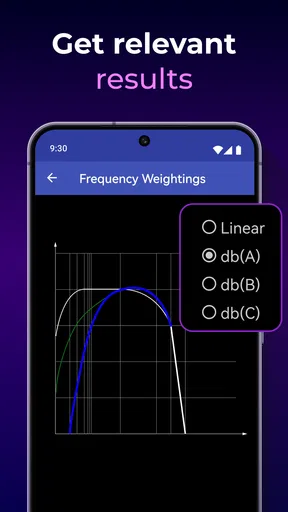
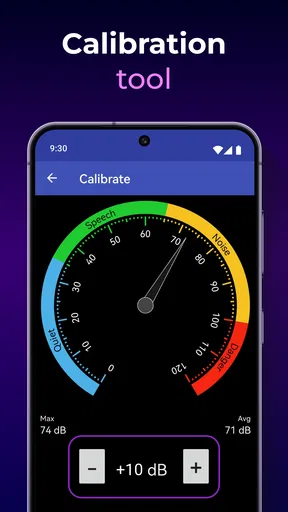
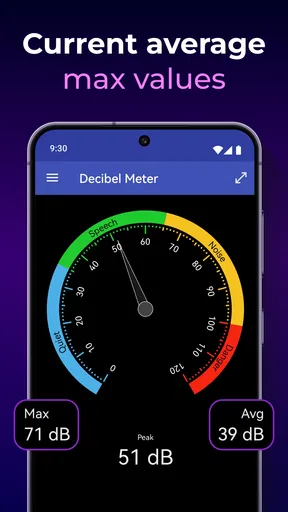
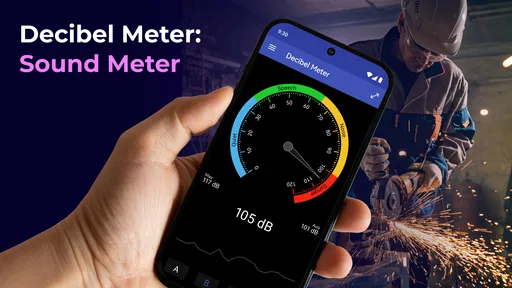
Our Review of Decibel Meter: Sound Meter App
 Analysis by Appyee
I tend to reach for a sound meter when I want a quick sense of how noisy a room or street is, not a formal reading for a safety report. That distinction matters with a phone app: it can help me compare everyday environments and spot a loud moment, but it is not a substitute for calibrated equipment when a decision has legal, medical, or workplace consequences. Decibel Meter: Sound Meter App is aimed at that practical, casual kind of check, and its appeal is the straightforward idea of turning a phone into a sound-level gauge.
Trust starts with what the app is for
This is a free music-and-audio app from GeniusTools Labs, with a 3.5 average from around 8,400 ratings and more than a million installs. It is rated for Everyone, and its current version is 3.0.1. Those details give a sense of its broad audience, but they do not tell me how to treat any individual reading. I would think of the display as an estimate that helps answer “is this place louder than that one?” rather than proof that a room meets a particular standard.
That is also the right frame for trust. A phone microphone is designed for a phone, not necessarily for scientific sound measurement, and results can vary with the device, its position, and the sounds nearby. I would not use a single number from the app to confront a neighbor, assess a workplace hazard, or decide whether a venue has violated a rule. For those situations, a calibrated meter and the relevant measurement procedure are more appropriate.
Permissions, choices, and data-sensitive moments
The published description focuses on measuring sound, and the app’s controls and permissions should be judged from what is actually visible when you install and use it. I would read each permission prompt before allowing access, and decline anything that does not seem needed for the task I am doing. If an operating-system prompt appears, it is worth pausing to understand the choice instead of tapping through automatically.
Sound measurement is a data-sensitive activity even when all I want is a rough reading. I may be standing in a home, workplace, classroom, or medical setting where other people are talking. A decibel display is not the same thing as recording or sharing speech, but I still prefer to measure in a way that respects the people around me: point the phone toward the noise source when suitable, avoid capturing private conversations, and do not share a measurement that could identify someone or their location.
When a feature offers to save or share a reading, I would consider what the reading is meant to show and who will receive it. A brief note about a noisy appliance is different from posting a location-linked complaint publicly. I also check the app’s visible settings and the phone’s system settings when I want to change permissions later. That keeps the decision in my hands rather than treating installation as blanket consent.
Using the meter in everyday situations
I use this section to focus on the practical question behind a quick reading: what changed, and what can I reasonably do with that information? A repeatable check can help me decide whether to investigate a noisy appliance or adjust a room, while keeping the phone’s estimate in perspective. The next section looks at how to make those comparisons more consistent.
A quick reading, not a laboratory result
First things first, downloading the app was a breeze. Available on both Android and iOS, you can grab it from the usual suspects—Google Play Store and the Apple App Store. Once installed, the setup is straightforward. The app doesn’t bombard you with unnecessary permissions, which is a relief. Just a couple of taps, and you’re all set to start measuring sound levels around you.
User Interface and Experience
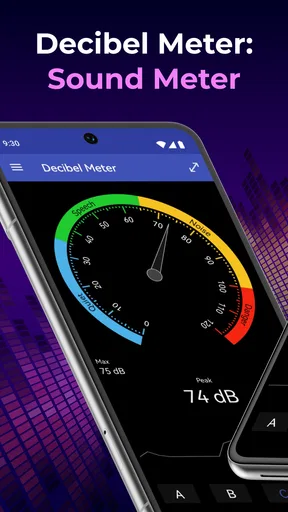
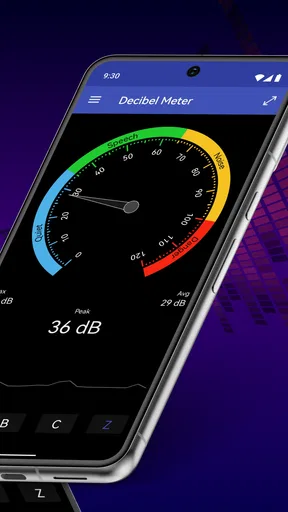
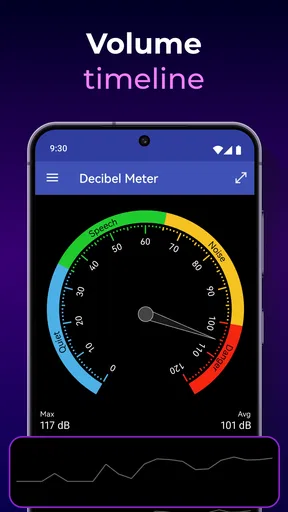
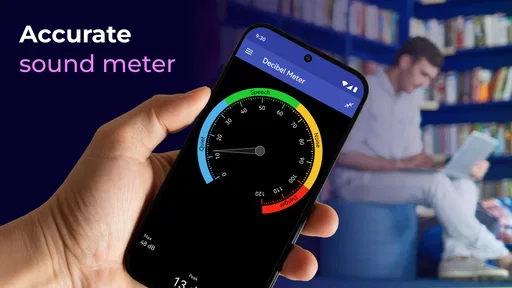
The user interface is clean and intuitive. Upon opening the app, you’re greeted with a simple display showing the current decibel level. There’s a large, easy-to-read meter that dances around as it picks up noise. It’s got this neat retro gauge look that makes you feel like you’re holding a classic piece of equipment. The colors and graphics are easy on the eyes, which is always a plus when you’re staring at your screen for extended periods.
Navigation through the app is pretty seamless. There are options to switch between different modes if you want to check averages or maximums. It’s all laid out in a manner that even someone not too tech-savvy can get a handle on.
Getting more useful comparisons
For a more meaningful comparison, I keep the phone in roughly the same position and orientation, then compare like with like. Holding it close to one sound source for one reading and across the room for another can change the result more than the difference I am trying to judge. I also let the display settle rather than treating a quick spike as representative of the whole environment. These small habits make a casual check more useful without pretending to make it professionally precise.
A practical example is checking whether a kitchen extractor sounds unusually loud. I can take a reading from a consistent spot with the appliance off, repeat it with the appliance running, and note the difference. That comparison can help me decide whether to inspect the appliance or simply accept that it is louder while working. It cannot tell me by itself whether the machine is faulty, but it gives me a concrete observation to pair with what I hear.
Features that Stand Out
One of the standout features of the app is its accuracy. I compared it with a professional sound meter, and while it’s not 100% spot-on, it’s impressively close for a mobile app. It’s perfect for casual use and even some semi-professional applications where you don’t need pinpoint precision.
Another cool feature is the ability to log your readings. You can save your measurements and even share them via social media or email. So, if you’re the type who loves to document everything, this will be right up your alley.
"Having the ability to measure and log sound levels in real-time is a game-changer for anyone concerned about noise pollution."
Using logs thoughtfully
Logs are most helpful when they record a comparison or a change over time, rather than a number without context. If I save a reading, I make a short note for myself about where I stood, what was running, and whether the sound was steady or intermittent. That gives the reading a purpose later and helps avoid drawing a strong conclusion from a momentary peak.
Sharing is convenient when I want to show someone a rough before-and-after check, such as whether closing a window noticeably changes street noise. I would not share a screenshot as if it were a certified report. If the measurement might affect a landlord dispute, workplace complaint, or health decision, I would use a suitable professional process instead and treat the phone reading only as a prompt to investigate further.
Where it fits among alternatives
Compared with simply listening, a meter gives me a repeatable visual reference: I can check whether one room seems louder than another without relying only on memory. Compared with a dedicated sound-level meter, the phone is easier to have on hand, but its microphone and setup are not a controlled measuring instrument. Other sound-meter apps may offer different displays or tools, but the main trade-off remains: convenience is not the same as calibration.
This makes the app a good fit for someone curious about everyday noise, a musician wanting a rough awareness check, or a parent comparing the sound level of a TV before and after turning it down. It is less suitable for anyone who needs dependable compliance readings, occupational exposure assessment, or evidence that must stand up to scrutiny. In those cases I would choose a calibrated device and follow the appropriate measurement guidance.
Real-World Applications
So, how does this app fare in the real world? I took it for a spin in various settings. At a construction site, it gave me a good indication of the noise levels, helping me decide when it was time to pop in some earplugs. In a library, it confirmed the serene silence, making me appreciate the quiet even more.
For musicians or those who frequent concerts, this app can be a handy tool to ensure you’re not damaging your hearing. And for parents, it’s a nifty way to check if your kids have cranked up the TV or stereo too loud.
Who should use it—and who should pass
I see the strongest use in quick, low-stakes checks: comparing a quiet room with a noisy one, noticing whether traffic gets louder with a window open, or checking whether a household appliance is making more noise than expected. The app’s average and maximum modes can help distinguish a generally noisy stretch from a brief peak, provided I keep the phone position consistent. That is a more useful question than chasing a single exact figure.
I would skip relying on it if the goal is to protect hearing through a formal exposure assessment, settle a dispute, or verify a regulation. A phone can be affected by its microphone characteristics, case, placement, and the sound pattern itself. If the result needs to be defensible, the convenience of an app is not worth the uncertainty; a calibrated meter or qualified measurement is the better choice.
Price and practical expectations
The app is free to download, with in-app purchases ranging from $0.99 to $99.99 per item. I would check the purchase screen carefully before confirming anything, especially if I only need a basic occasional reading. The core decision is whether a quick visual estimate is useful enough for my routine; anyone expecting a phone app to replace specialist equipment should set a different expectation before spending money.
It is also worth considering how often I will actually use the meter. For an occasional check, a simple interface and quick access matter more than a long feature list. For regular technical work, I would compare dedicated instruments and their calibration options instead of choosing based only on the convenience of a phone display.
Final Thoughts
All in all, the app is a solid choice for anyone needing a reliable sound level meter on the go. While it might not replace a professional device in critical situations, it certainly offers a lot of value for everyday use. It’s user-friendly, accurate enough for most needs, and packed with useful features.
If you’re curious about the noise levels in your environment or need a quick check for health and safety reasons, definitely give this app a try. It’s a small download that packs a punch, and you might just find it as indispensable as I have.
My cautious verdict is that this is best treated as a convenient awareness tool, not an authority. I would use it to compare familiar situations, keep sensible notes, and decide when a closer look is warranted. I would not let a reassuring reading overrule discomfort, or let one high reading stand in for a formal assessment. Used with that boundary in mind, Decibel Meter: Sound Meter App can make everyday noise easier to notice and discuss without asking it to do more than a phone-based meter reasonably can.
Verdict
Strengths of Decibel Meter: Sound Meter App
- Accurate sound level measurements.
- User-friendly interface layout.
- Supports different measurement units.
- Real-time sound graph visualization.
- Customizable alert thresholds.
Limitations of Decibel Meter: Sound Meter App
- Contains ads in the free version.
- Limited features without premium.
- Battery consumption can be high.
- Requires microphone access.
- No data export option.
Other Releases by GeniusTools Labs
View All
Trace Drawing: How To Draw
Art & Design4.6

Widget 2026: Aesthetic Widgets
Personalization4.6

GPS Maps Voice Navigation App
Maps & Navigation4.8

Sweet Editor Camera Lite
Beauty4.6
Similar Picks in This Category
View All
YouTube Music
Google LLC4.4

Samsung Music
Samsung Electronics Co., Ltd.3.8

Spotify: Music and Podcasts
Spotify AB4.3

JioSaavn - Music & Podcasts
Saavn Media Limited4.3

Lark Player:Music Player & MP3
Lark Player Studio - Music, MP3 & Video Player4.6

StarMaker: Sing Karaoke Songs
SKYWORK AI PTE. LTD.4.3
Frequently Asked Questions
What is the primary function of the Decibel Meter: Sound Meter App?
The Decibel Meter: Sound Meter App is designed to measure sound levels in your environment. It utilizes the microphone on your device to provide accurate decibel readings, helping you gauge noise pollution, ensure compliance with sound regulations, or even protect your hearing by monitoring loud environments.
How accurate is the Decibel Meter: Sound Meter App compared to professional equipment?
While the Decibel Meter app offers reliable readings for everyday use, it may not match the precision of professional sound level meters. The accuracy can be affected by the quality of your device's microphone. For critical applications, it's recommended to use professional equipment. However, for general purposes, the app provides satisfactory results.
Does the app require any special permissions to function?
Yes, the app requires access to your device's microphone to measure sound levels. It may also request permission to access storage to save data recordings. Rest assured, the app is designed with privacy in mind and does not store or share your recordings without your consent.
Can I use the Decibel Meter: Sound Meter App in different environments?
Absolutely. The app is versatile and can be used in various settings such as concerts, workplaces, or residential areas. Keep in mind that external factors, such as wind or device casing, might affect readings. For best results, use the app in an unobstructed environment and follow any additional guidelines provided.
Does the app offer any additional features besides measuring sound levels?
Yes, the app often includes additional features such as real-time sound level graphs, historical data tracking, and alerts for when noise levels exceed safe thresholds. Some versions may offer customization options like theme changes or integration with other health apps for a more comprehensive experience.
